This is an AI-assisted spec, workflow, not a commission-based project. I combine AI tools with traditional design and motion graphics/video production tools such as Adobe Photoshop, After Effects, and Premiere Pro. The intention is to showcase my skills and knowledge of various AI tools and models, such as Higgsfield AI, Kling AI, Nano Banana Pro, Midjourney, Suno, and others.
Recent advancements in generative AI continue to introduce innovative techniques for producing cinematic and visually compelling videos and images. One methodology I have found particularly effective involves employing a 3x3 grid-based, contact sheet-inspired approach. This strategy has significantly enhanced my ability to create a consistent variety of scenes by systematically adjusting camera positions and focal lengths. In this post, I will outline the process I followed to implement this technique.
The first step is to establish a subject. For this project, I selected Jeep, an iconic American automotive brand with roots dating back to World War II. Jeep represents both ingenuity and freedom, making it an ideal centerpiece for a holiday-themed concept. Utilizing Jeep’s website, I accessed their 3D product viewer—an industry-standard tool among automotive manufacturers—and captured multiple screenshots, including front three-quarter views from both sides and a rear perspective.
With these images in hand, I proceeded to generate a “frame” featuring the vehicle within a specific setting. Given the holiday season, I opted for a snowy mountain landscape. Leveraging Adobe Firefly and the Nano Banana Pro model, I utilized the Generate Image feature to create a compelling scene with the Jeep positioned in this wintry environment.
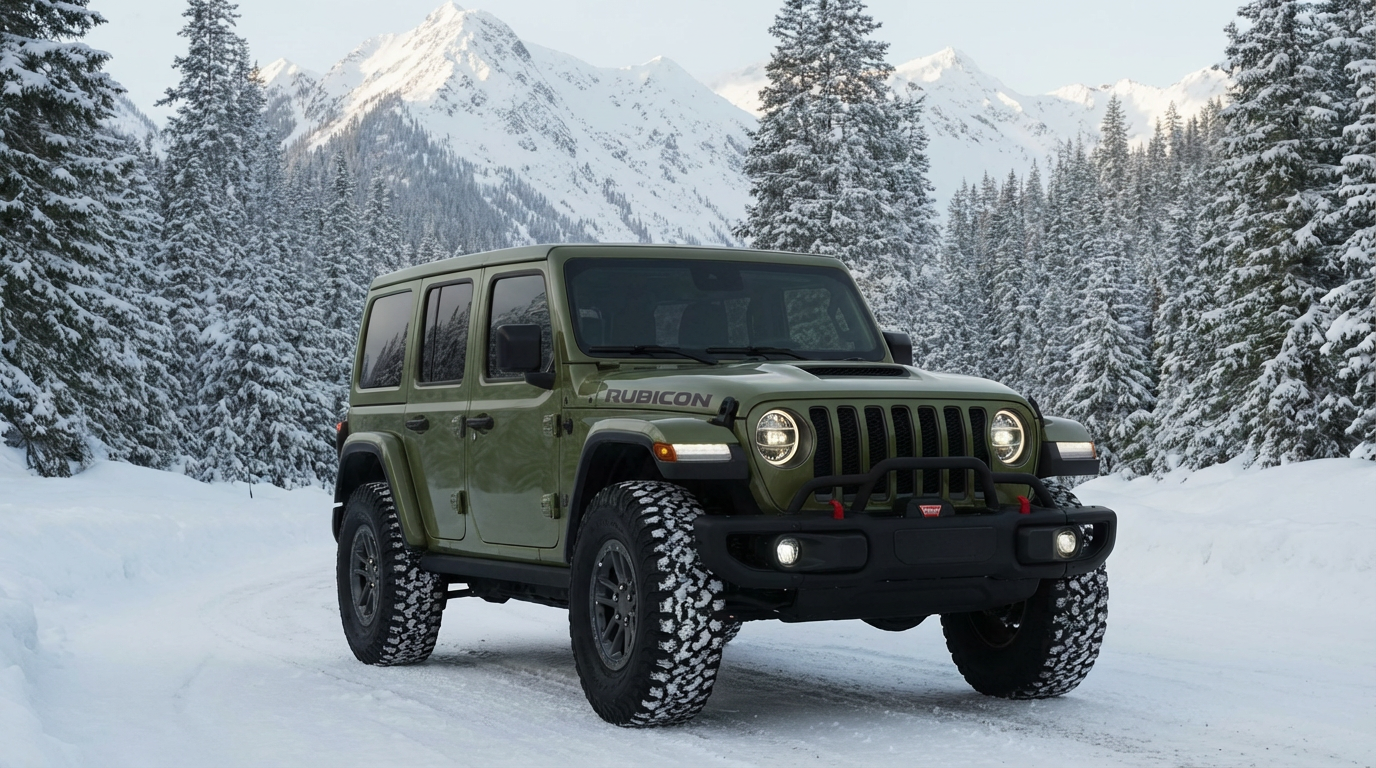
A brief note on this stage: When prompting AI to generate such frames, it is crucial to specify that the entire subject should be depicted in detail. I recommend positioning the vehicle in a three-quarter view to ensure the AI can accurately capture both its profile and front aspects.
Once the initial frame is complete, the next step is to create a 3x3 grid showcasing a range of camera shots: close-up, medium close, medium, wide, and telephoto. The prompt structure used for this task can be tailored to suit different subjects, and I encourage customizing prompts to achieve optimal results.
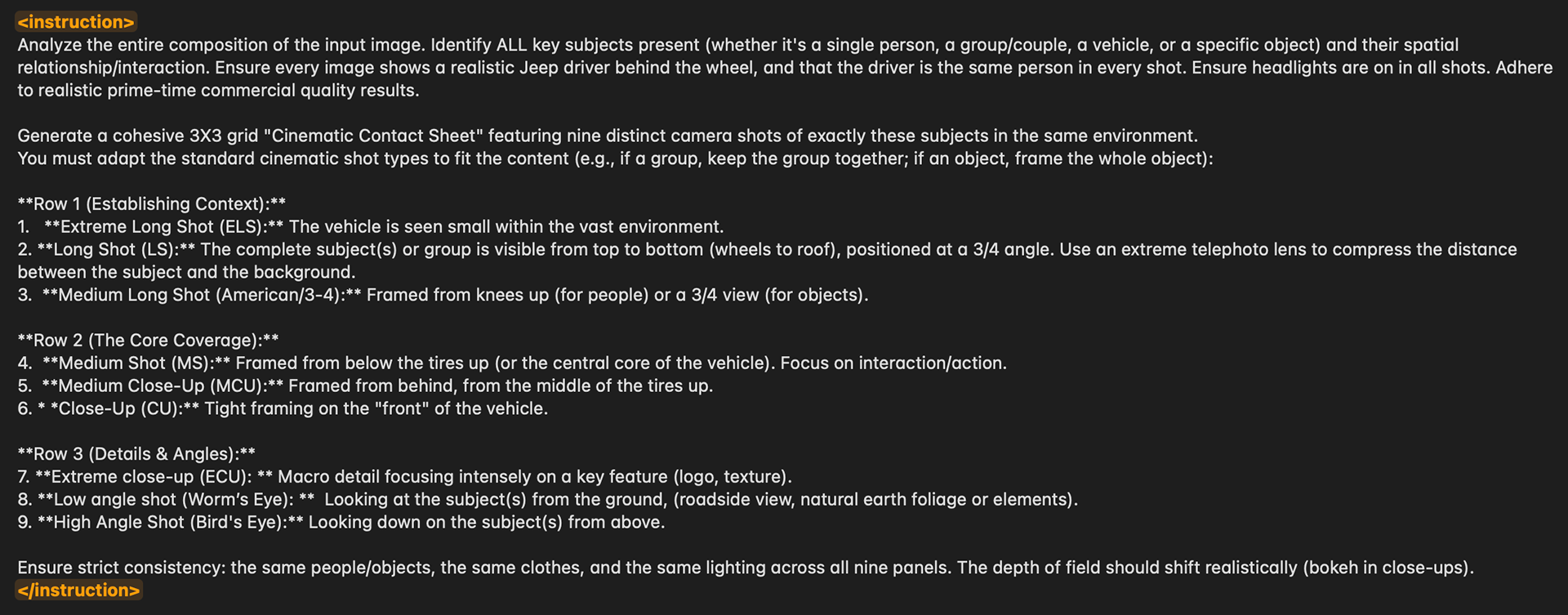
For generating the grid image, I recommend using Higgsfield AI (Nano Banana Pro), as Adobe Firefly has character limits that restrict longer prompts. Firefly is better suited for shorter prompts, while Higgsfield AI accommodates for longer, more complex, detailed prompts.
After generating the Jeep frame, I applied the prompt above to produce the 3x3 grid contact sheet below.
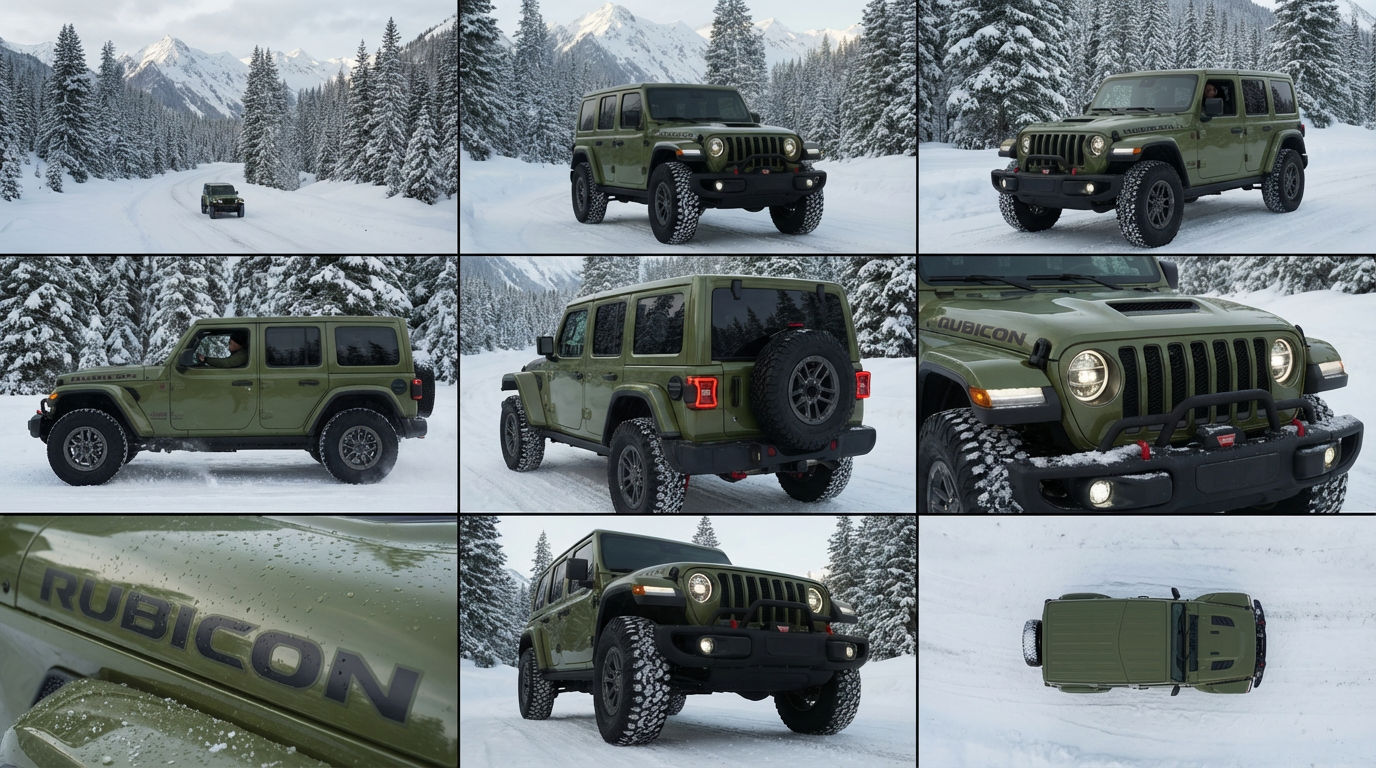
Afterward, I uploaded the contact sheet to Higgsfield AI and extracted each frame using Nano Banana Pro with a straightforward formula: “Extract the image from column x, row y.”
With all frames extracted and organized, I imported them into the video section of Higgsfield AI to create animations. My preferred models for this purpose are Kling AI Video 2.1, 2.6, and the latest O1 version. Each model offers unique textural and visual characteristics, with versions 2.1 and O1 delivering the most accurate and visually appealing results for this particular advertisement.
After assembling the video content, I used Adobe Premiere Pro to edit and craft a cohesive visual narrative. Once satisfied with the video cut, I turned to Suno to generate a holiday-themed instrumental soundtrack. By providing a simple prompt, “Create a holiday-themed instrumental track,” I received several options and selected the most suitable one. The audio was then integrated, with careful level adjustments and precise placement of fade-in and fade-out effects to complement the video’s pacing.
I hope this overview has clarified my creative process. For further discussion or collaboration, please feel free to connect with me on LinkedIn.